Mejl app iconEmail with local AI for iPhone and Mac
Email that sounds
just like you

Connect Gmail or Microsoft and manage your inbox in Mejl. Local AI helps draft and refine replies in your voice while your mailbox remains available offline.

Runs locally by default Works offlineGmail & MicrosoftiPhone & Mac

The full Mejl experience on iPhone and Mac

Two native apps, one focused way to read, search, organize, draft, and send mail with AI that runs directly on your device.

Demo1 / 4
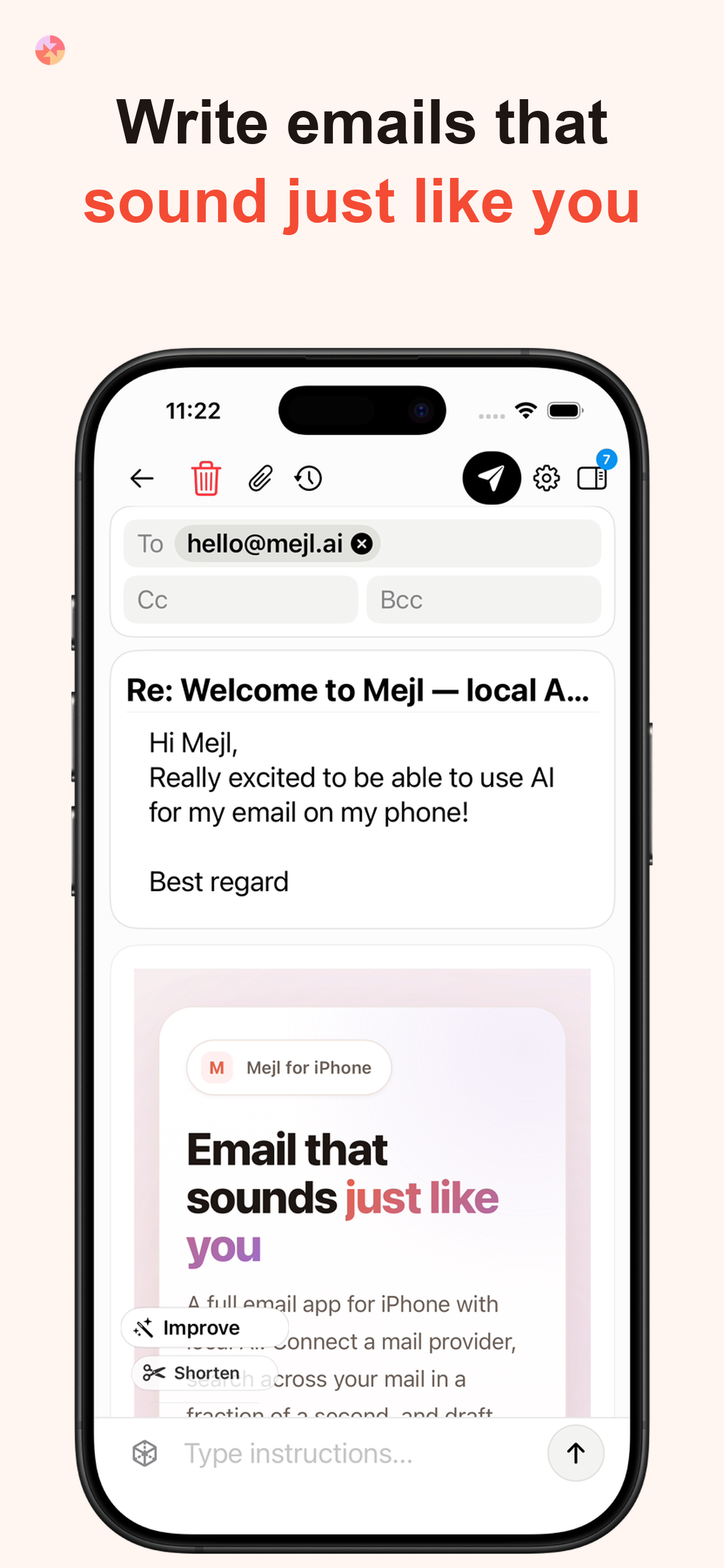
App Store screenshot: Write emails that sound just like you
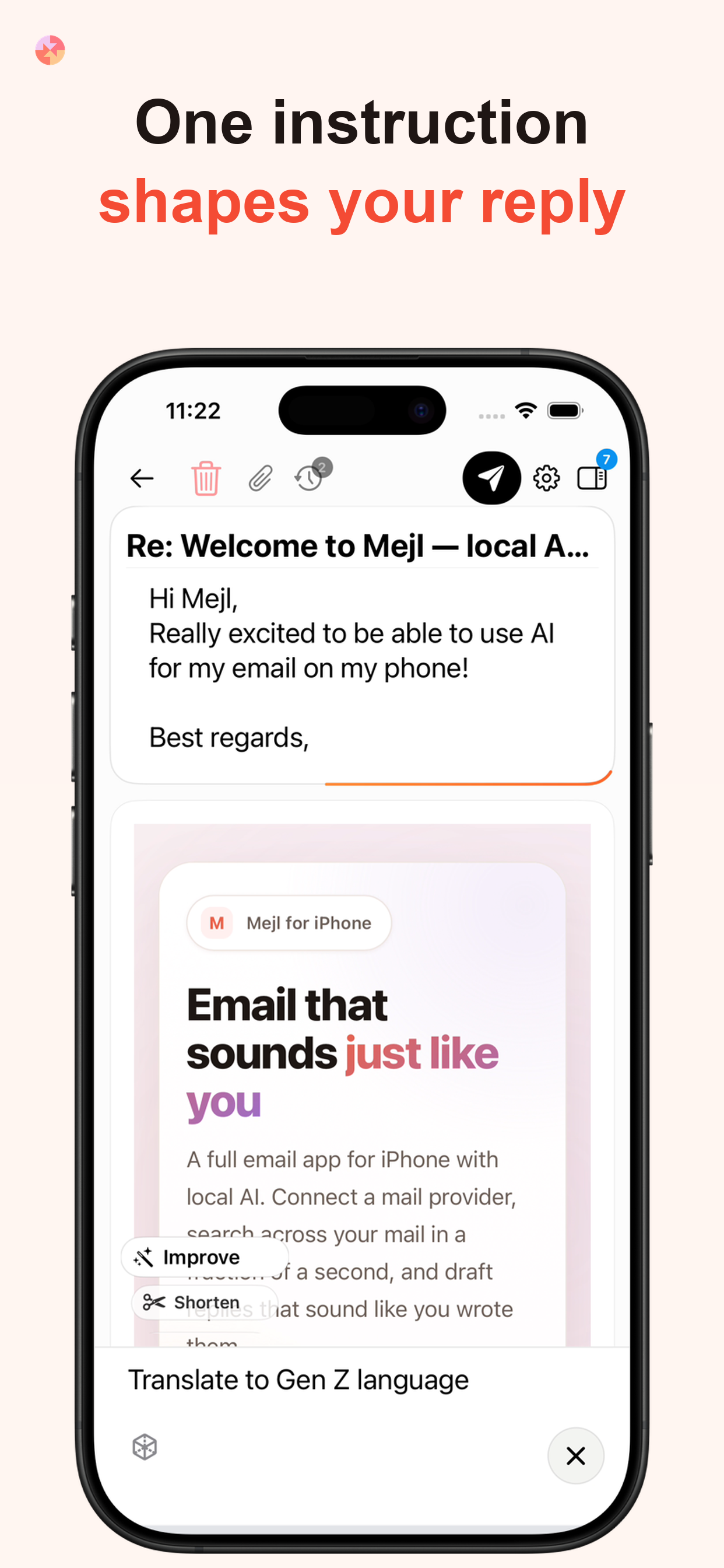
App Store screenshot: One instruction shapes your reply
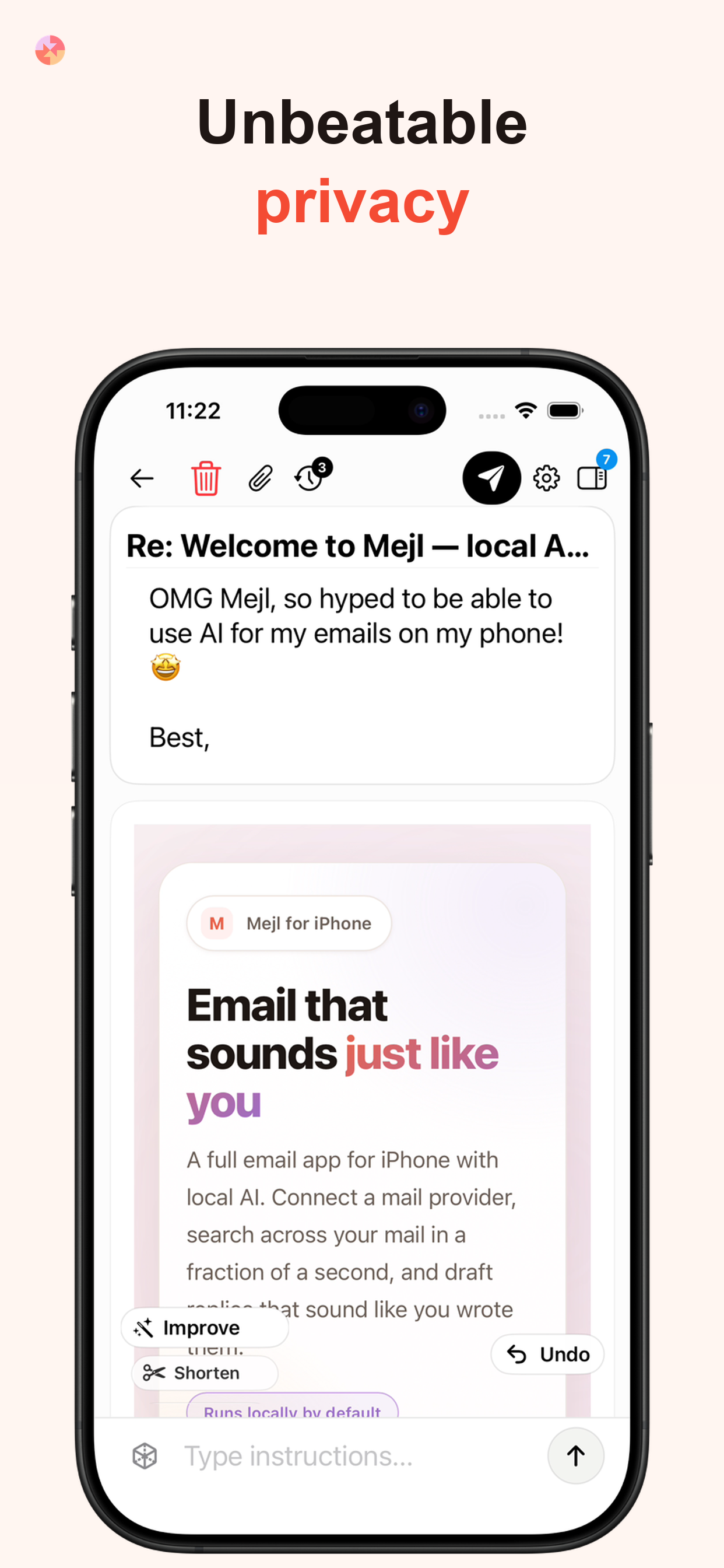
App Store screenshot: Unbeatable privacy

Mail and local AI wherever you go

Connect Gmail or Microsoft, keep locally stored mail available offline, and draft or refine replies with the bundled on-device model.

  • A complete native mailbox
  • Bundled on-device AI
  • Offline mailbox access

A focused desktop workflow

Read, search, draft, and refine mail in one window, with a local model you choose.

Drafting1 / 3
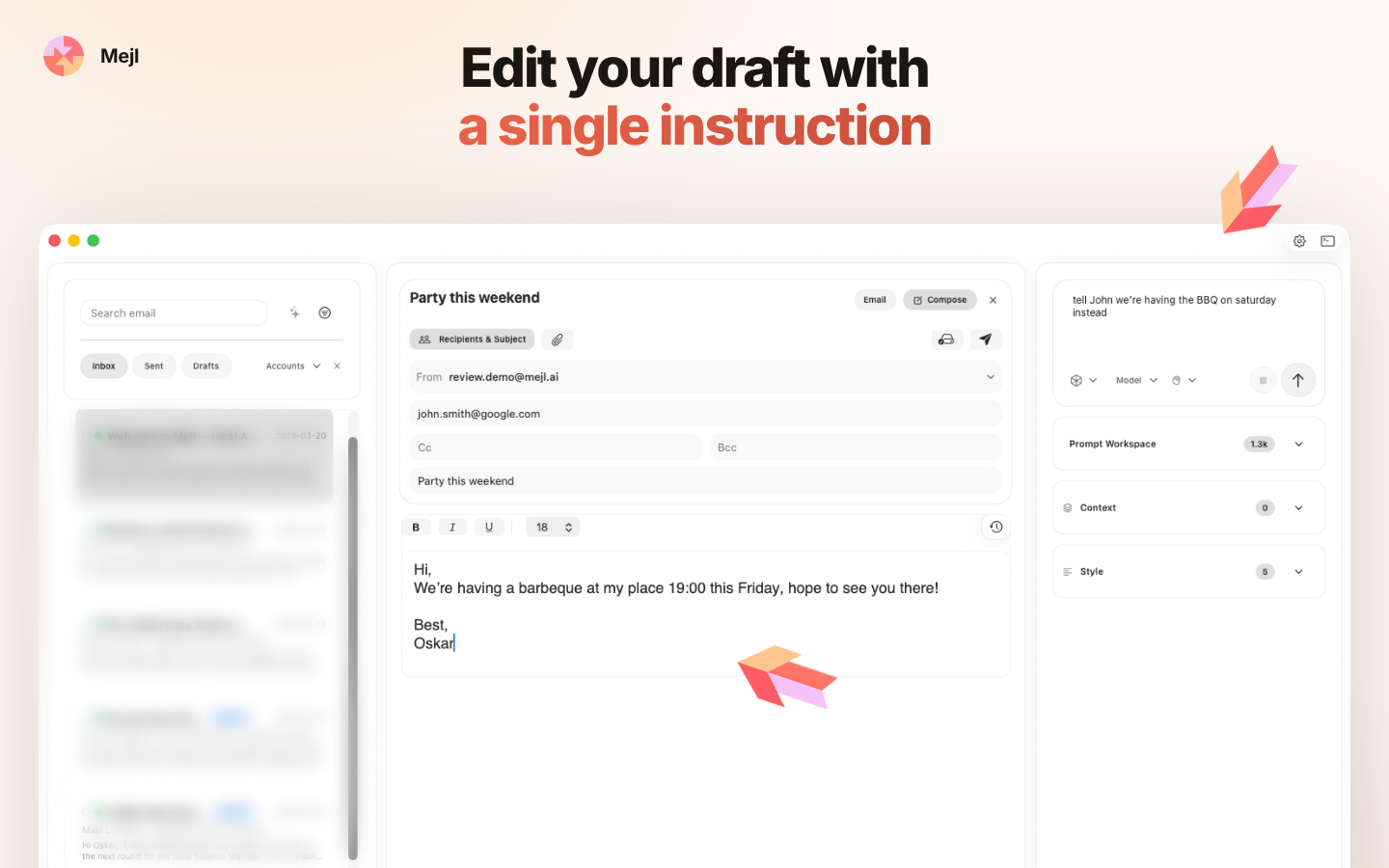
Edit a draft with a single instruction in Mejl for Mac
Edit drafts with plain-language instructions
Save writing prompts as templates in Mejl for Mac
Keep your best prompts close at hand
Find email by meaning in Mejl for Mac
Find email without exact keywords

Personal by design. Private by architecture.

What makes Mejl different

Email assistance shaped around you

Learns your voice

Mejl learns from mail you have already sent so drafts reflect your vocabulary, tone, and way of signing off.

Context-aware replies

Relevant conversations help inform a reply, so you do not have to reconstruct the history from memory.

You direct every draft

Ask for a shorter, warmer, firmer, or more direct reply. The result stays editable and under your control.

Privacy & compliance

Private by design, not by policy

Local AI by default

Prompts and drafts are processed by a model running on your iPhone or Mac—not by an external AI endpoint.

No Mejl telemetry

Mejl does not collect usage analytics, log your drafts, or send your writing to Mejl servers.

Mail remains available offline

Locally stored mailbox data stays available when you have no connection. A connection is needed only to synchronize or send.

Find any email
in milliseconds

Outlook's search is notoriously slow — often slower than just scrolling through your inbox. Mejl responds in around 300 ms. By the time you've finished typing, the results are already there.

Instant keyword search

Results appear as you type — across subject, sender, and body. No indexing delay, no spinner, no waiting.

Semantic search

Search by meaning, not just matching words. Ask "emails about the Q3 budget" or "that thread where Anna pushed back" and surface the right conversation even if those exact words never appeared. Powered by local embeddings — nothing leaves your device.

emails about the Q3 budgetSemantic
Anna Lindgren2d ago

Re: Q3 budget review — follow-up

I went through the numbers and there are a few line items I think we should revisit before the board meeting...

Finance Team1w ago

Q3 actuals vs forecast

Please find attached the full breakdown. Marketing came in 12% over, which will need sign-off from...

Marcus Eriksson2w ago

Budget sign-off needed by Friday

Hi team, just a reminder that we need the department heads to approve their sections before end of week...

Results in ~300 ms

Local by default.
Fully in your control.

Simple to get started

Running a local model is simpler than it sounds. We recommend one model based on your Mac's RAM — download the file, add it in Mejl, and you're ready. No configuration, no accounts, no cloud setup.

See recommended local AI models for Mac →

Your prompts, your templates

Edit the prompt Mejl uses to generate drafts, or build your own templates for different situations — formal replies, quick acknowledgements, follow-ups. The AI works the way you tell it to.

From inbox to send
in seconds

Your inbox and AI in the same app. Read, compose, and send without switching tools or pasting email into a separate AI service.

01

Connect your account

Sign in with Google or Microsoft.

02

Mejl reads your sent mail

Mejl scans a sample of what you've already sent — not your whole inbox, just enough to learn how you write. It picks up your sentence length, vocabulary, how formal you tend to be, and how you sign off. All of this stays on your device.

03

Open an email to reply

When you open a thread, Mejl surfaces relevant past emails alongside it — other conversations with the same person, previous messages on the same topic. You're writing with context, not from memory.

04

Refine until it sounds right

Mejl drafts a reply in your style. Type "make this shorter", "less formal", or "cut the pleasantries" and it updates immediately. Keep going until it reads the way you'd have written it.

Mejl app icon

Mejl for iPhone and Mac.

Choose your device and start writing in your own voice.

iOS 18 or later · macOS 13 Ventura or later